Jianying Voiceover Alternative for Full-Cast Dramas
A Jianying voiceover alternative doesn't mean leaving Jianying (剪映, the Chinese edition of CapCut). Jianying puts editing, text to speech, voice cloning and vocal separation in one app, and if you already cut your videos there, there is no reason to switch. The bottleneck is elsewhere: one episode has a narrator and four or five characters, each line needs its own voice and emotion, and you also need English, Thai and Vietnamese versions. That step can happen first in AI Drama Voice: paste the script, let it cast every role, export MP3 and SRT per language, then go back to Jianying to edit.
One track, one voice: quick to do right inside the editor
Your own voice or a licensed voice
Use Jianying voice cloning
Its site says text reading can use a cloned voice; AI Drama Voice doesn't clone
Footage that needs denoising, vocal separation, loudness
Use Jianying
All listed among Jianying's audio tools
Full drama or comic episodes: narrator plus several roles
Voice in AI Drama Voice, then import into Jianying
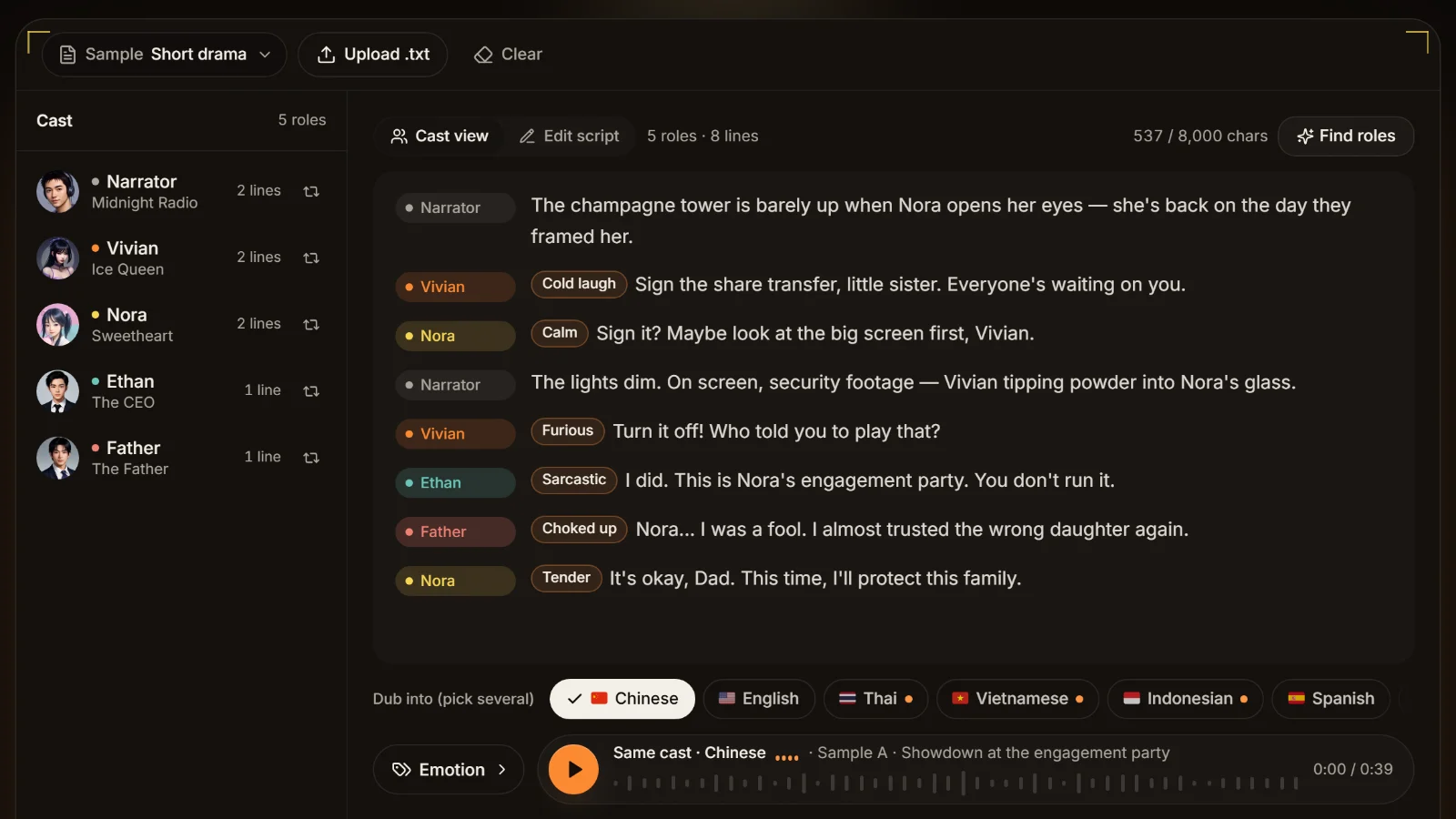
Paste the script for automatic casting and per-line emotion, no segment-by-segment voice picking
English, Thai, Vietnamese versions of one drama
Voice in AI Drama Voice, then import into Jianying
Lines are translated into local speech, the same cast voices them, one SRT per language
A series where character voices must match every episode
Voice in AI Drama Voice, then import into Jianying
The same character name keeps the same voice
Not either-or
AI Drama Voice only covers script → multi-character, multilingual voice + subtitles. It does not edit or render video. Picture, transitions, captions styling, music and the final export stay in Jianying.
00:07:13,000Side by side
Jianying voiceover alternative comparison table
Jianying's Chinese site publishes little detail, so we added CapCut's official international TTS page for reference. "Not disclosed" means not found on public pages.
Allowed for commercial work under the terms of service
Not disclosed
Site says it can be used for ads, YouTube videos and brand promotion
Access in China / payment
Web app; Alipay, WeChat Pay, card
Chinese product; payment methods not disclosed
Payment methods not disclosed
Checked Nov 2026 · Jianying (剪映) and CapCut are trademarks of their owner and are named here descriptively. Jianying membership prices are not published on its site, so this page gives none.
Verdict · Best for voicing a whole drama's cast and languages before it goes into Jianying.
00:02:36,700Three common questions
Does Jianying voiceover cost money, need a membership, or show an AI label?
Lots of people ask these. Here is only what the official site and the regulation itself confirm.
Is Jianying voiceover free?
Jianying's site has no public membership price page (capcut.cn/price returns 404), and its homepage doesn't say which features are free and which need a membership (checked 2026-11). Prices circulating online come from third-party reports, not the official site, so we don't quote them. The reliable check is to open text reading in the Jianying app and look at the labels on each voice and feature.
Does text reading need a membership?
Again, the app is the source of truth. The site only says text reading supports popular voices or voice cloning. If you are voicing a full multi-character drama, the bigger cost is usually time: picking voices for every character in every episode by hand affects output more than any membership fee.
In AI Drama Voice you don't pick voices passage by passage: the cast list comes from the script, one voice per character, used for the whole episode.Product screenshot
Why does a Jianying AI voice show "AI-generated"?
It comes from China's Measures for Labelling AI-Generated and Synthesized Content, issued by the Cyberspace Administration and three other agencies and in force since 1 September 2025. AI-generated content must carry explicit or implicit labels, and users publishing it through a platform must declare it and use the platform's labelling function. Jianying, Douyin and others show "AI-generated" style notices on that basis; the exact rules are the platform's.
Switching tools doesn't remove the label
Audio from AI Drama Voice is also AI-generated, so it needs labelling when you import it into Jianying and publish. We don't help anyone avoid labels. How and where to label: see the AIGC labelling guide.
00:06:14,500Workflow
Bringing the audio back into Jianying in five steps
The Jianying voiceover alternative workflow is voice first, edit second: voice in AI Drama Voice, edit entirely in Jianying.
01
Step 1
Prepare the script
One line per row as "Name: line", narration as "Narrator:". See the script format guide.
02
Step 2
Paste it and check the cast
Click Analyze in the workshop. Check each character, voice and emotion tag. This step costs no credits.
03
Step 3
Tick languages, generate, download
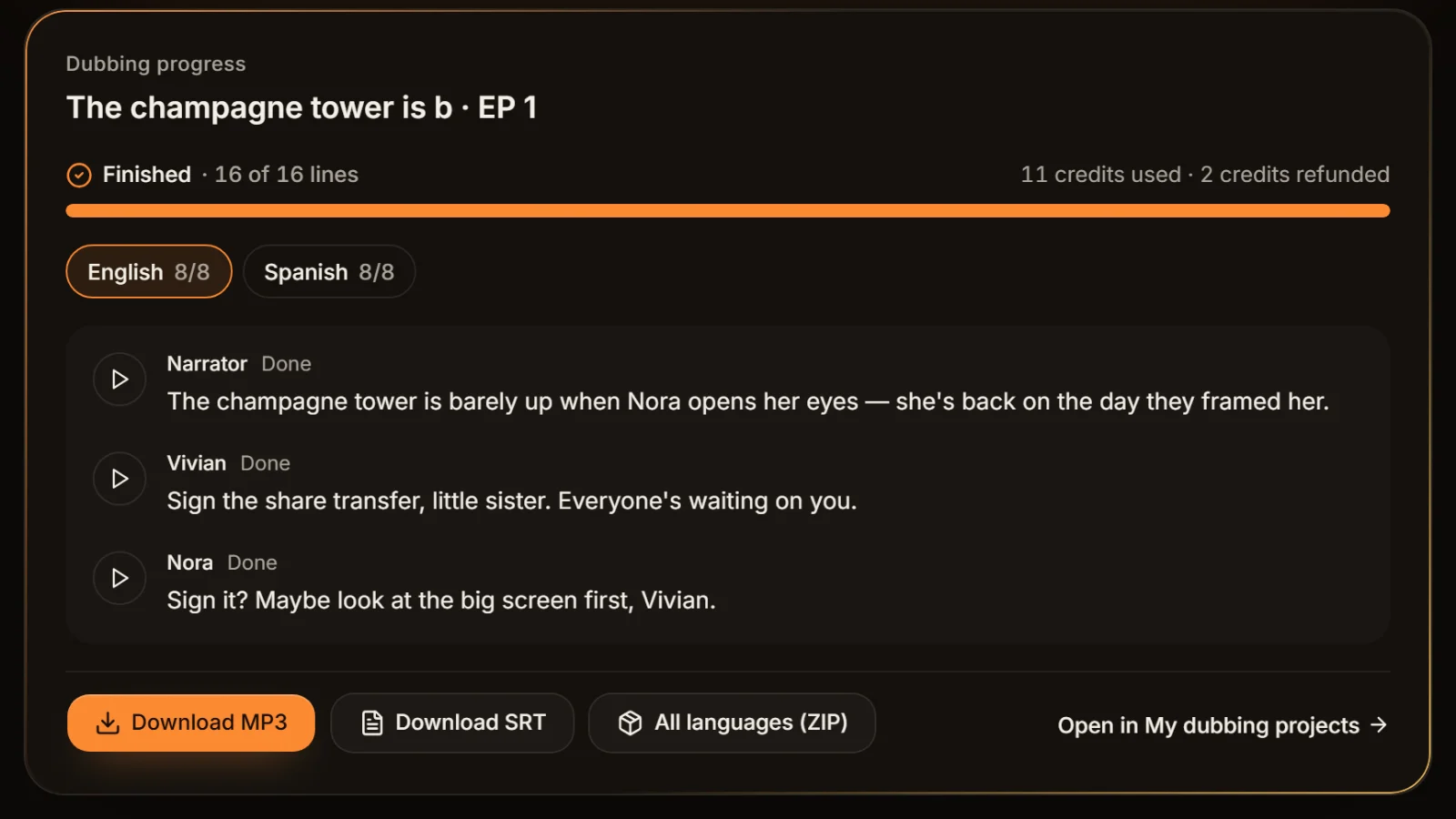
Tick Chinese and the foreign languages you need. Download MP3 and SRT per language, or all languages as one ZIP.
04
Step 4
Import audio and subtitles into Jianying
Drag the MP3 onto an audio track and import the SRT as local subtitles; lines and subtitles already share the same timing. Exact menus and syncing tips are in syncing in Jianying.
When the run finishes, download the MP3 and SRT for each language and bring both into Jianying: the audio onto an audio track, the SRT as local subtitles.Product screenshot
05
Step 5
Sync, review, export each language
Line it up with the picture and listen through. Redo only the lines you don't like in the workshop and swap them in. For foreign versions, duplicate the project and swap in that language's MP3 and SRT.
00:03:16,500Other tools
Choosing a Jianying voiceover alternative by need
Each tool's strengths below come from its official site (checked 2026-11). We only list what it is genuinely good at.
Word-level polish for narration: Moyin
Its site lists nearly 20 tuning tools such as polyphonic characters, pauses, stress and local speed, and members can download SRT. See Jianying vs Moyin.
Drama recaps timed to subtitles: Douge
Its site offers SRT-timed dubbing and transcript extraction / auto timing entries, with detailed emotion levels, which suits recap videos.
One expressive voice in many languages: MiniMax Audio (Hailuo)
The API has 9 emotion values and picks one from the text by default, and covers Thai, Vietnamese and Indonesian. See Hailuo vs Jianying.
Full cast plus foreign versions: AI Drama Voice
Automatic casting and per-line emotion from a pasted script, one cast in 9 languages, MP3 and SRT straight back into Jianying. See multi-character dubbing.
00:05:39,300Sources
Sources and trademark note
Jianying features on this page come from the capcut.cn and jianying.com homepages, CapCut international TTS details from its official tool page on capcut.com, and the labelling rules from the original text published by the Cyberspace Administration of China, all checked on 5 November 2026. Jianying does not publish membership prices or reading languages, so this page states neither. More comparisons at voiceover tool alternatives.
Jianying (剪映) and CapCut are trademarks of their owner. They are mentioned only to describe and compare; AI Drama Voice is not affiliated with or endorsed by Jianying.
00:02:28,100FAQ
Frequently asked questions
Jianying's site has no public price page and doesn't list which reading features are free or members-only (checked 2026-11); the labels in the app are the source of truth. Prices seen online come from third-party reports, not the official site.
The site only says text reading supports popular voices and voice cloning, without saying which need a membership, so check in the app. For a full multi-character drama, you can analyze the script free in AI Drama Voice first and see the cast list.
Because of China's AI content labelling measures in force since 1 September 2025: AI-generated content must be labelled and users must declare it when publishing. Platforms show the notice on that basis. Any AI voice tool needs the same label; see the AIGC labelling guide.
Jianying's site doesn't describe casting characters from a script (not disclosed, checked 2026-11), so a multi-role scene usually means choosing a voice for each text segment yourself. AI Drama Voice casts characters and tags emotions when you paste a script, then you import the result into Jianying.
Download MP3 and SRT for each language from AI Drama Voice, drag the MP3 onto an audio track, import the SRT as local subtitles and sync with the picture. Full steps in syncing in Jianying.
Moyin for word-level narration polish, Douge for recaps timed to subtitles, MiniMax Audio (Hailuo) for one expressive voice in many languages, and AI Drama Voice for full casts and foreign versions that go back into Jianying.