
Midnight Radio
Velvet · narrator
● Narrator · thrillers, contemporary
A velvet male voice with an even pace that stays easy to follow over long passages; the studio's default narrator.
NarratorsMale9 languages
Here is how TXT to MP3 works in AI Drama Voice: upload a .txt file to the dubbing studio, or paste the text, and the narration is split from every line written as “Name: line”. Each character gets a voice, each line can carry an emotion, and every episode exports one MP3 per language plus an SRT timed line by line. One run takes up to 8,000 characters (spaces excluded), in English or Chinese. To be clear about what it isn't: not a file converter that swaps an extension, and not a single voice reading from top to bottom — though you can get that too, as explained below.
Updated Nov 6, 2026Fact-checked Nov 6, 2026
Sample C · Poisoned wine in the cold palace
English · Script excerpt · 3 characters
Narrator
Chapter One — Snow in the Cold Palace
Narrator
In the winter of the twelfth year of Yong'an, when the first snow fell on the Cold Palace, Shen Zhiwei had lived there for three full years.
Narrator
The gate swung open. Wrapped in white fox fur stood Consort Liu, the emperor's favorite.

Consort LiuCold laugh
Still so proud, sister. I'm with child — I've come to share a cup of celebration wine.
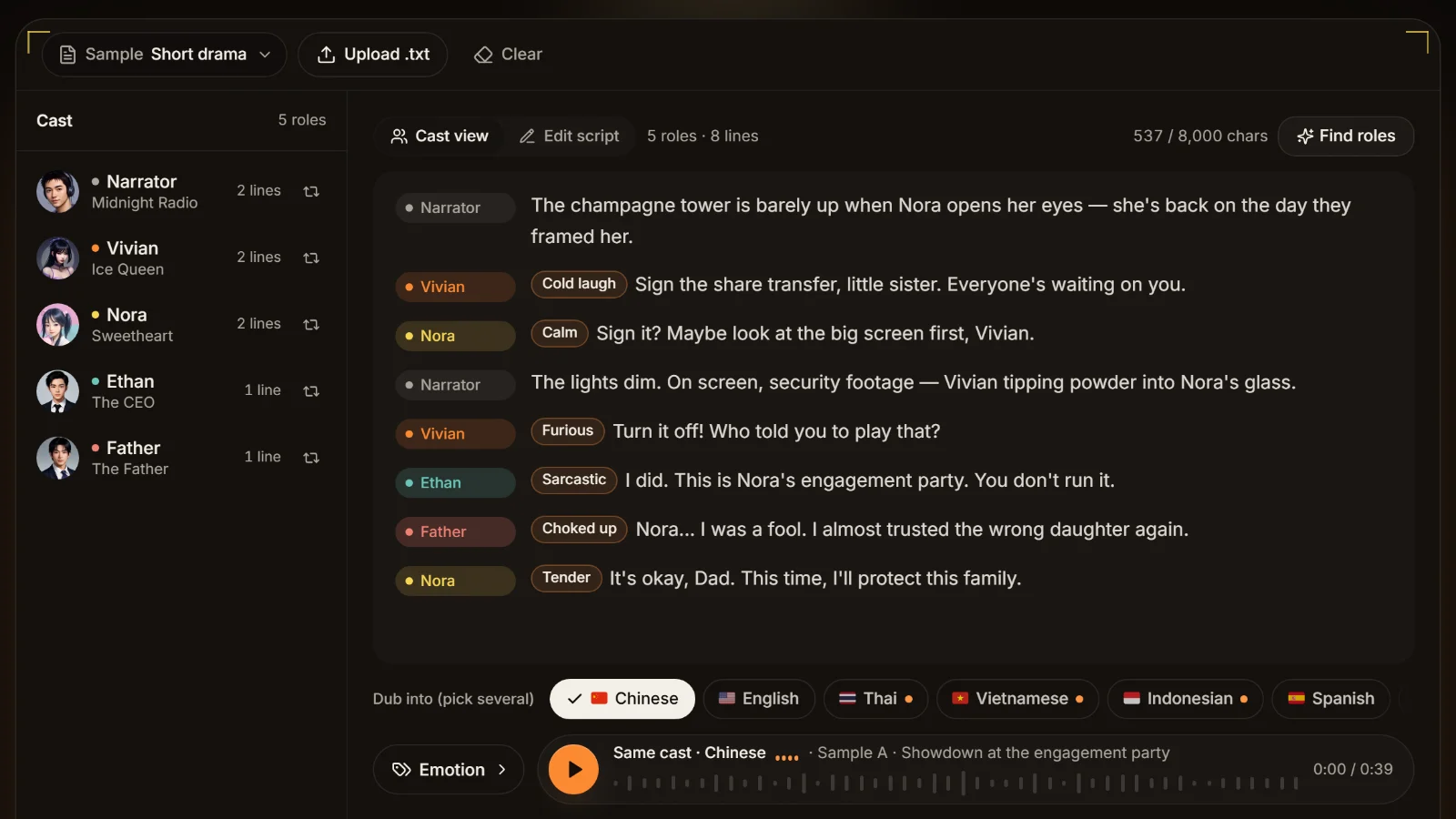
The studio below opens on the first page of a palace-intrigue novel, chapter heading included. Click Edit script, paste a passage from your own file, then Find roles to see how narration and characters are separated — this costs no credits. Uploading a whole .txt, recasting voices and picking several languages happen in the dubbing studio.
Narrator
Midnight Radio · 4 lines
3 roles · 7 lines
561 / 8,000 charsSame cast · Chinese
With AI Drama Voice, going from a .txt file to a finished MP3 and subtitles takes four steps, and the first three are free.
Leave narration as it is, one paragraph per row; the narrator reads it. Rewrite dialogue as “Name: line”, with an emotion in brackets after the name, like “Consort Liu (cold laugh): Still so proud, sister.” Keep colons out of chapter headings: write “Chapter One — Snow in the Cold Palace”.
Tip · If your novel writes dialogue as “Get out,” she said coldly, run it through the novel dialogue extractor first and check its guesses.
In the dubbing studio, click Upload .txt at the top. Only plain .txt files are accepted; for a Word document, copy the text and paste it. A file over 8,000 characters is not loaded at all, and the studio asks you to split it.
Click Find roles and the cast list shows the narrator and every character, with line counts and the voice each one got. Click a character's swap button to recast it, or click any line to change its emotion; edits are written back into the text.
Tip · Analysing, recasting, tagging and previewing voices cost nothing, so adjust as often as you like.
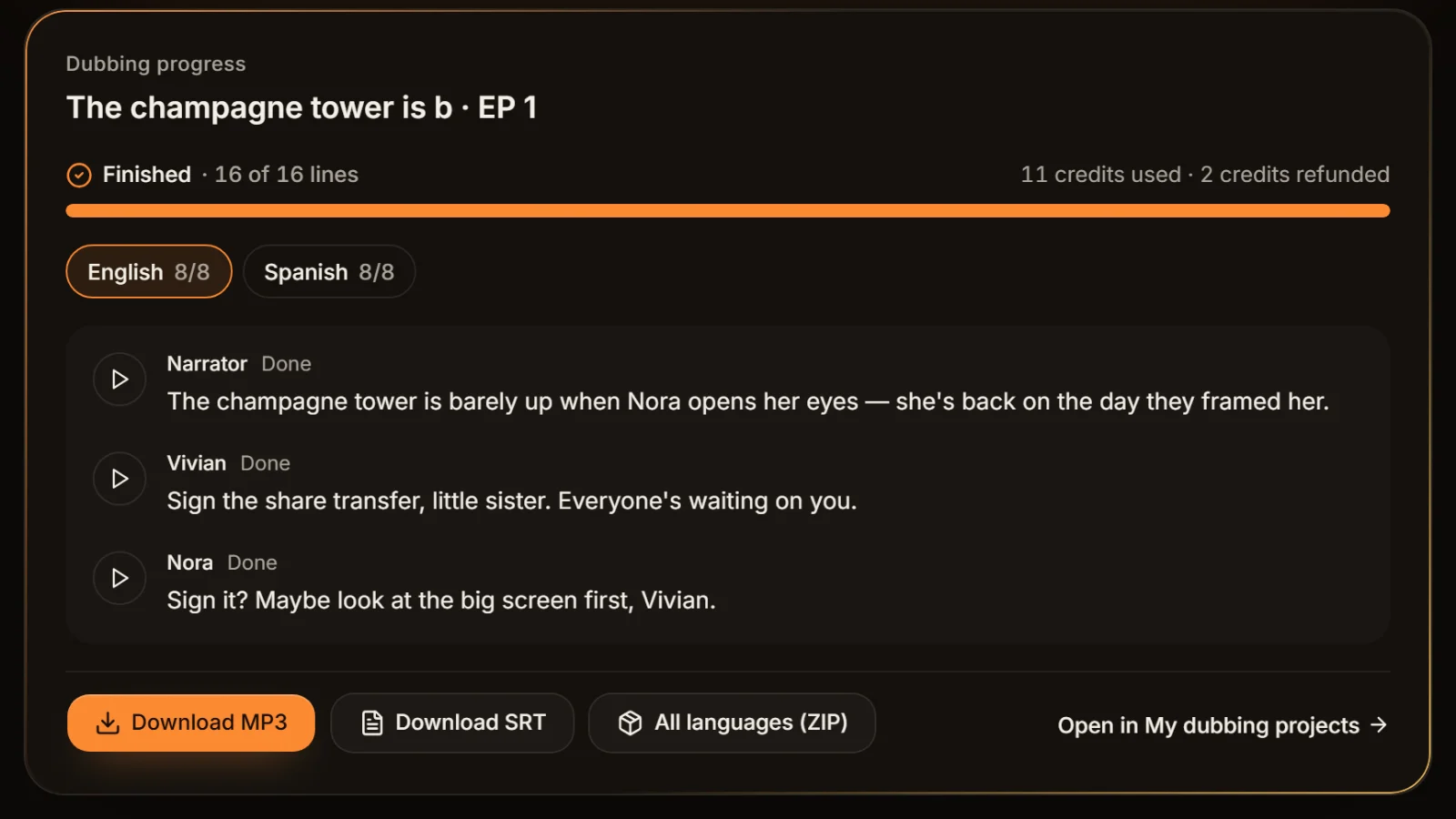
Tick English, and any other language you want, then generate. Download the episode's MP3 and SRT, or one ZIP with every language. Failed lines can be regenerated on their own, and their credits are refunded automatically.
Half of a good text-to-audio result is how the text is written. The studio reads row by row with fixed rules — it doesn't “understand” the story — and this table is exactly how it reads.
| In your TXT | How the studio reads it | What to do |
|---|---|---|
| Snow kept falling on the Cold Palace. | No colon: the narrator reads the row | Write narration just like this |
| Consort Liu: I'm with child. | A line for the character Consort Liu | The standard way to write dialogue |
| Consort Liu (cold laugh): I'm with child. | Consort Liu's line, tagged cold laugh | The bracketed cue is never read aloud |
| He said: “Get out.” | “He said” becomes a new character | Write the speaker's name instead |
| “You came,” she whispered. | The narrator reads the whole row, quote included | Split it: “Zhiwei (whisper): You came.” |
| Chapter 1: The Gate | “Chapter 1” becomes a character saying “The Gate” | Drop the colon: “Chapter 1 — The Gate” |
| Note: this story is fiction | “Note” becomes a character | Same fix: drop the colon or the row |
So the real work in turning a novel into multi-voice audio is rewriting dialogue as “Name: line”. The studio deliberately won't guess who is talking from “he said” — one wrong guess and voices swap mid-scene. For dialogue-heavy manuscripts, the novel dialogue extractor pulls quoted speech into that format and flags the lines it isn't sure about. The full script conventions are in the script format guide.
The studio reads a file as UTF-8, and only if that fails does it fall back to GB18030, a Chinese encoding. Plain English letters are valid UTF-8, so most English files load fine. The trouble comes from files saved as ANSI or Windows-1252 that contain curly quotes, dashes or accented letters: those bytes aren't valid UTF-8, so the whole file gets misread. Open it in Notepad or TextEdit, save it again as UTF-8, and upload that copy. A leading BOM and Windows line endings are handled for you.
The 8,000 characters exclude spaces but include letters, punctuation, speaker names and bracketed emotions — for English prose that is roughly 1,500 words. An episode also allows at most 400 lines, and a row longer than 600 characters is split at sentence ends into several lines. Chat-style stories with one short sentence per row can hit 400 lines first. If either limit is exceeded, split the text by chapter: the TXT splitter cuts a book by chapter or by length, one file per episode.
Narration goes to the narrator and every named character gets a voice; the same name always means the same voice.
Cold laugh, choked up, whisper, furious, tender, excited, calm or sarcastic — in brackets or picked with a click, never read aloud.
Each subtitle starts and ends where its line sits in the MP3, so it lands aligned in CapCut or any editor.
Tick Spanish, Portuguese, Japanese or five more: each line is rewritten as natural speech and voiced by the same cast.
Credits are charged by characters; failed lines are refunded and can be regenerated alone, with no need to redo the episode.
In a novel the narrator carries most of the text, so pick the narrator first and then the main characters. All of these are real voices from the library, our suggestions only, and each speaks English, Chinese and seven more languages.
Velvet · narrator
● Narrator · thrillers, contemporary
A velvet male voice with an even pace that stays easy to follow over long passages; the studio's default narrator.

Mature · poised
● Narrator · romance
A poised, mature female voice, natural for first-person stories told by the heroine.
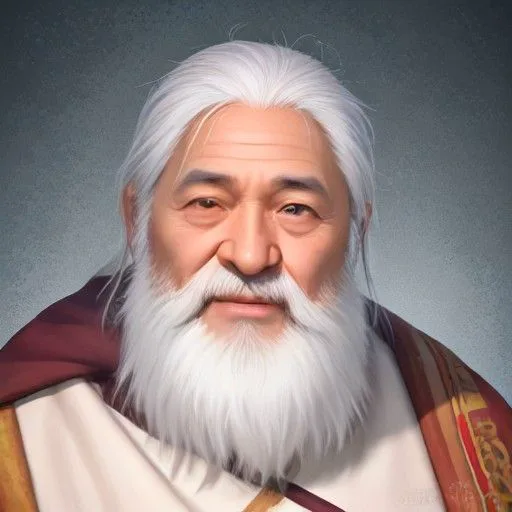
Classic · folk tale
● Narrator · folk tales, fantasy
A classic storyteller's delivery for openings like “Long ago, in the twelfth winter…”.

Soft · soothing
● Narrator · bedtime stories
Soft and soothing, for slow, calm material.

Crisp · broadcast
● Single-voice reading · articles, scripts
Crisp broadcast delivery without extra emotion; the easy choice when the whole file is narration.
Cold · villainous
● Character · the rival
A cold, poised voice that turns cold laugh and sarcastic tags into real menace.

Deep · commanding
● Character · male lead
Deep and commanding, the first pick for CEOs, generals and kings.

Warm · grounded
● Character · father, elders
Warm and grounded; names with Father, Dad, Uncle or Old in them often get this voice automatically.
One chapter per file, narrator plus the main characters, one MP3 per episode. For a whole book, see how to plan it in novel to audiobook.
Story-time scripts are mostly narration with a few key lines of dialogue; drop the MP3 and SRT into your editor and add visuals, as in novel promo voiceover.
TXT to MP3 doesn't have to mean several voices: with no names in the file, the narrator reads everything. The studio warns that it found no dialogue, which doesn't block generation; just pick a narrator you like.
Tick Spanish, Portuguese or a Southeast Asian language and the same cast performs the rewritten lines — a cheap way to test a chapter on a new market.
Search for txt to mp3 and you'll find three kinds of tools with similar names that do very different jobs.
| Kind | What it actually does | Several voices | Good for |
|---|---|---|---|
| File-conversion sites | Usually hand the text to one default voice, or only convert between audio formats | No | Hearing a passage once |
| Single-voice readers | One voice reads from top to bottom, some with speed and pause controls | No, or by manual sections | Listening to long books yourself |
| Script-based studios (AI Drama Voice) | Splits roles by “Name: line”, adds per-line emotion, exports MP3 + SRT, can make other languages | Automatic | Story videos, audiobooks, dramas and comics you will publish |
Honestly: if you want a 300-page book as MP3 for your own commute, with one voice and no acting, a single-voice reader is the better fit and needs no splitting. AI Drama Voice earns its place when other people will listen — characters need distinct voices, emotion has to rise and fall, subtitles must match the audio, and you may want a Spanish version too.
Long paragraphs make long subtitles
Cues follow lines, so a 60-word paragraph becomes a 60-word subtitle. For vertical video, break long paragraphs into one sentence per row before generating, or split cues afterwards with the subtitle line length checker.
Uploading, analysing and recasting are free. Generation is charged in credits by the characters of your lines; foreign versions settle on the length of the rewritten lines, and failed lines are refunded. Estimate a chapter with the dubbing cost calculator; current rates are on the pricing page.
To add music under the voices, use add background music; to join several episodes into one long file with the subtitles carried along, use MP3 merge. Both run in your browser and never upload your files.
The studio recognises people by name. “Zhiwei” in one scene and “Shen Zhiwei” in the next become two characters with two voices.
Remove colons from chapter headings, time stamps and author's notes, or the word before the colon turns into a character.
Before a whole chapter, paste an opening passage with some dialogue into the demo, confirm the narrator and lead voices, then upload the full file.
Cut the book into files under 8,000 characters and 400 lines, one chapter per episode, with the episode number in the file name.
The studio doesn't remember last chapter's casting. Note each character's voice and reuse it, as explained in consistent character voices.
If you want a “hmph” or a sigh to be heard, write it into the line; emotion tags change delivery, they don't add sounds.
Open the dubbing studio, click Upload .txt, click Find roles to check the narrator and character voices, tick your languages and generate, then download the MP3 and SRT. Only lines written as “Name: line” get their own voice; everything else is narration.
Up to 8,000 characters, spaces excluded, with punctuation, speaker names and bracketed emotions counted — about 1,500 words of English prose — and at most 400 lines. A longer file is refused with a prompt to split it, never silently cut.
Chapter by chapter. Use the TXT splitter to cut the book by chapter or by length, then upload each file in turn. Keep one cast sheet for the whole book so every chapter uses the same voices.
Yes, as long as dialogue is written as “Name: line”. The studio gives each named character its own voice and the narrator reads everything else; it does not guess speakers from “she said”. For a manuscript with lots of quoted dialogue, convert it first with the novel dialogue extractor.
Usually, after re-saving it. The studio reads UTF-8 and falls back to a Chinese encoding, so an English file saved as ANSI / Windows-1252 with curly quotes or accents comes out garbled. Save it again as UTF-8 and upload that copy.
Yes. Tick any of the other eight languages and each line is rewritten as natural speech, then voiced by the same cast, with its own MP3 and SRT. Your source text can be English or Chinese.
Uploading and analysing are free; generation is charged in credits by the characters of your lines, and failed lines are refunded. Rates are on the pricing page, and the dubbing cost calculator estimates a chapter.


Upload a .txt, confirm the cast, and generate the MP3 with line-timed subtitles — in another language too, if you like.
Billed by characters generated · Failed runs refunded automatically · Alipay, WeChat Pay and cards

