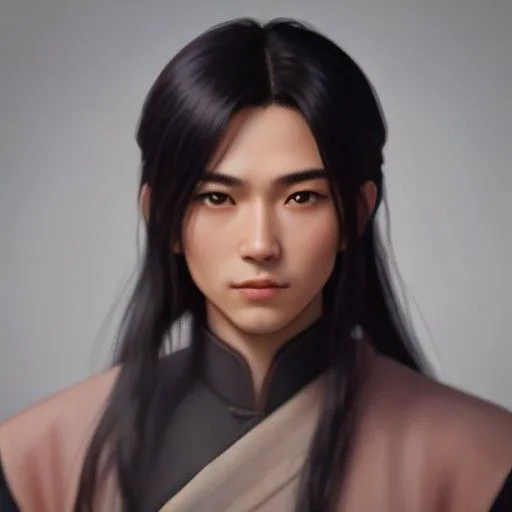
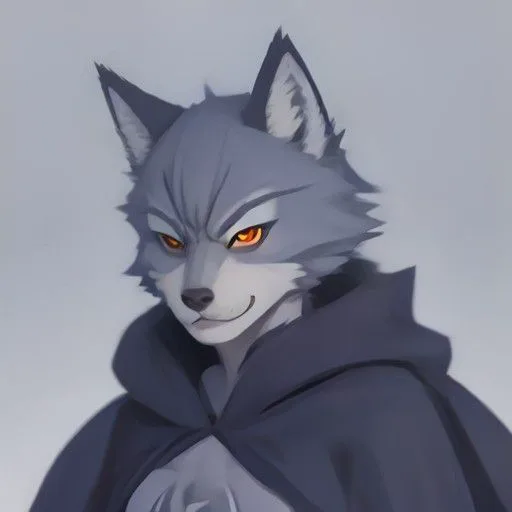
Cartoon Villain
Over-the-top · comic
● Big bad · the all-bark villain
The most over-the-top, comic voice we have. Lines like “Hah! I fear no one!” land best tagged cold laugh or furious.
Anime & toonMale9 languages
A meme animation voiceover has to cover five or six characters, a snarky narrator and often a deadpan “system” voice, each with a sound of its own. Paste the script into AI Drama Voice as “Name: line” and the workshop splits out every character, gives each one a different voice where it can, and applies the cold laugh, sarcasm or fury you write in brackets to the right lines. Export an MP3 and a line-timed SRT, drop them into your animation app or CapCut, and dub the same episode into English if you like. One thing up front: AI Drama Voice makes the voices only, not the animation or the lip movement.
Updated Nov 5, 2026Fact-checked Nov 5, 2026
Sample B · The sweeper who shook the sect
English · Script excerpt · 5 characters

Narrator
The Azure Cloud Sect tournament roars around the arena. Ye Chen, who swept leaves for three years, steps up with a bamboo sword.

Xiao LingSarcastic
A yard sweeper thinks he can stand against me?

YunyaoWhisper
Brother Ye, don't push it... he's the best in the inner sect.

Ye ChenCalm
Three years of sweeping. I only practiced one strike.
The studio opens on a cultivation-story sample: a lowly yard sweeper gets mocked in public and wins with one strike, which is exactly the kind of setup meme animations love. Swap in your own script and watch the workshop split the roles and tag each line. This step costs no credits.
From script to audio you can drop on a timeline, a meme animation voiceover in AI Drama Voice takes four steps.
One spoken line per row. Write narration as “Narrator: …” and the system prompts as “System: …”, so the system becomes a character of its own. Put the emotion in brackets before the line, as in “Boss (cold laugh): You? Seriously?” Bracketed words are never read aloud.
Tip · Synonyms work: “(mocking)” counts as sarcastic and “(yelling)” counts as furious, so you don't have to memorise the eight tag names.
Paste the script into the workshop and run Find roles. The cast list shows each character, how many lines they have and which voice they got. Names with words like “father”, “uncle” or “master” lean toward older voices, names with “boy” or “young” toward youthful ones. This step costs no credits.
Use the button next to a character to recast it; Cartoon Villain and Monkey King live under “Anime & toon”. Click any line to change its emotion, and the choice is written back into the script as “Name (emotion): line”.
Tip · A name like “System” says nothing about gender, so the auto-cast pick is a coin toss. Recast it by hand.
Tick Chinese, plus English if the episode is going abroad, and start dubbing. Every line is generated on its own; failed lines are refunded automatically and can be retried one by one. Each SRT cue starts and ends where that line sits in the MP3, so the subtitles line up as soon as you import them.
Here is a cast for a typical meme animation built from real voices in the library. The roles are our suggestions; swap freely. Every voice below speaks Chinese and eight other languages.
Over-the-top · comic
● Big bad · the all-bark villain
The most over-the-top, comic voice we have. Lines like “Hah! I fear no one!” land best tagged cold laugh or furious.

Lively · anime
● Chatterbox sidekick · the hero's pet
Quick and lively, made for the side character whose whole job is roasting everyone.
Clear · energetic
● The hapless hero
A clear, youthful voice. Tag excited when he gets played and calm when he tries to act cool; the contrast is the joke.
Deep · commanding
● Pompous boss · the CEO
Deep and commanding, which is exactly why it's funny in a silly cartoon: the straighter he plays it, the bigger the laugh.
Bright · playful
● Desk-mate · the heroine
Bright and playful, perfect for sweet-sounding lines that cut deep.
Hype · fast-paced
● Snarky narrator
Fast, hyped delivery that commentates the hero's bad day like a match.

Crisp · broadcast
● The system
Crisp and neutral; tagged calm, it sounds like an announcement. Add the “ding” as a sound effect in the edit.
Warm · grounded
● Teacher · Dad
A warm, heavy older voice for the parent or teacher who storms in to restore order.
In Chinese internet slang these are “shadiao” (沙雕) animations: goofy, low-fi cartoons built on absurd setups and fast punchlines. Most of the jokes come from three layers of voice working together: the narrator mocks, the system announces something absurd, and the characters play the absurdity completely straight.
| Layer | What it does | How to write it | Usual emotion |
|---|---|---|---|
| Snarky narrator | Says what the audience is thinking, piles on, undercuts | Narrator: Our hero has no idea this is his last peaceful lunch. | Calm, sarcastic |
| System prompts | Hands out quests and rewards, announces ridiculous rules | System: Ding! Host stubbornness detected. Reward: one Public Humiliation pack. | Calm, excited |
| Character dialogue | Moves the plot, creates clashes and contrast | Boss (cold laugh): Draft thirty-eight, and this is what you bring me? | Cold laugh, furious, sarcastic |
One detail matters here: only rows that start with “Narrator:”, “Narration:” or “Voiceover:” go to the narrator. “System:” is treated as a separate character, which is what you want: it gets a voice of its own, distinct from the narrator.

We wrote this sample ourselves; copy it straight into the workshop to try. Suggested voices follow the table; the auto-cast may pick differently, so recast by hand to match.
| # | Role (emotion) | Line |
|---|---|---|
| 1 | Narrator (calm) | Leo Lin, eighteen, the unluckiest kid in school. Even his scratch cards say “try again” on both sides. |
| 2 | System (calm) | Ding! Host luck reading: negative. Rewrite-Your-Fate System linked. |
| 3 | Leo (excited) | A system? I'm finally getting cheat codes? |
| 4 | System (calm) | Starter quest: make your teacher laugh within ten seconds. Penalty: one full morning-exercise routine in front of the class. |
| 5 | Leo (whisper) | …Is that quest even humanly possible? |
| 6 | Mr. Wang (furious) | Leo Lin! What are you muttering about? On your feet! |
| 7 | Leo (calm) | Sir, I was just thinking your hair looks exactly like Einstein's today. |
| 8 | Narrator (sarcastic) | Three seconds of total silence. Great. Even the air feels awkward for him. |
| 9 | Candy (sarcastic) | Leo, next life, pick a mouth that comes with a filter. |
| 10 | Mr. Wang (tender) | …Einstein? Ha. You've got an eye, kid. |
| 11 | System (excited) | Ding! Quest complete! Reward: advance notice of tomorrow's pop quiz. |
| 12 | Leo (furious) | That's it?! |
Suggested voices: Narrator → Esports Caster, System → News Anchor, Leo → Young Hero, Mr. Wang → The Father, Candy → Sweetheart. Male and female, young and old: the mix keeps every speaker distinct, even mid-argument.
One name per character
The workshop recognises characters by name. If the teacher is “Mr. Wang” in one row and “Teacher” in the next, you get two characters and two voices.
Cold laugh, sarcastic and furious are the workhorse tags of comedy animation, but the laugh usually comes from contrast: the same line with a different emotion is a different joke. Take “Say that again?”:
| Emotion tag | Sounds like | Use it when |
|---|---|---|
| Calm | A blank-faced follow-up; the calmer, the scarier | The boss hears a ridiculous excuse: an awkward-silence gag |
| Cold laugh | A scornful question, as if watching a clown | The villain is amused by the hero's bravado |
| Furious | An instant meltdown; volume and pace both jump | A parent or teacher finally snaps, with a screen shake |
Give each line one emotion. For a “furious, then soft” swing, split it into two lines and tag them furious and tender, like lines 6 and 10 in the sample. Also, an emotion tag changes how the line is spoken and won't necessarily add an audible laugh; if you want a clear “heh”, write it into the line.
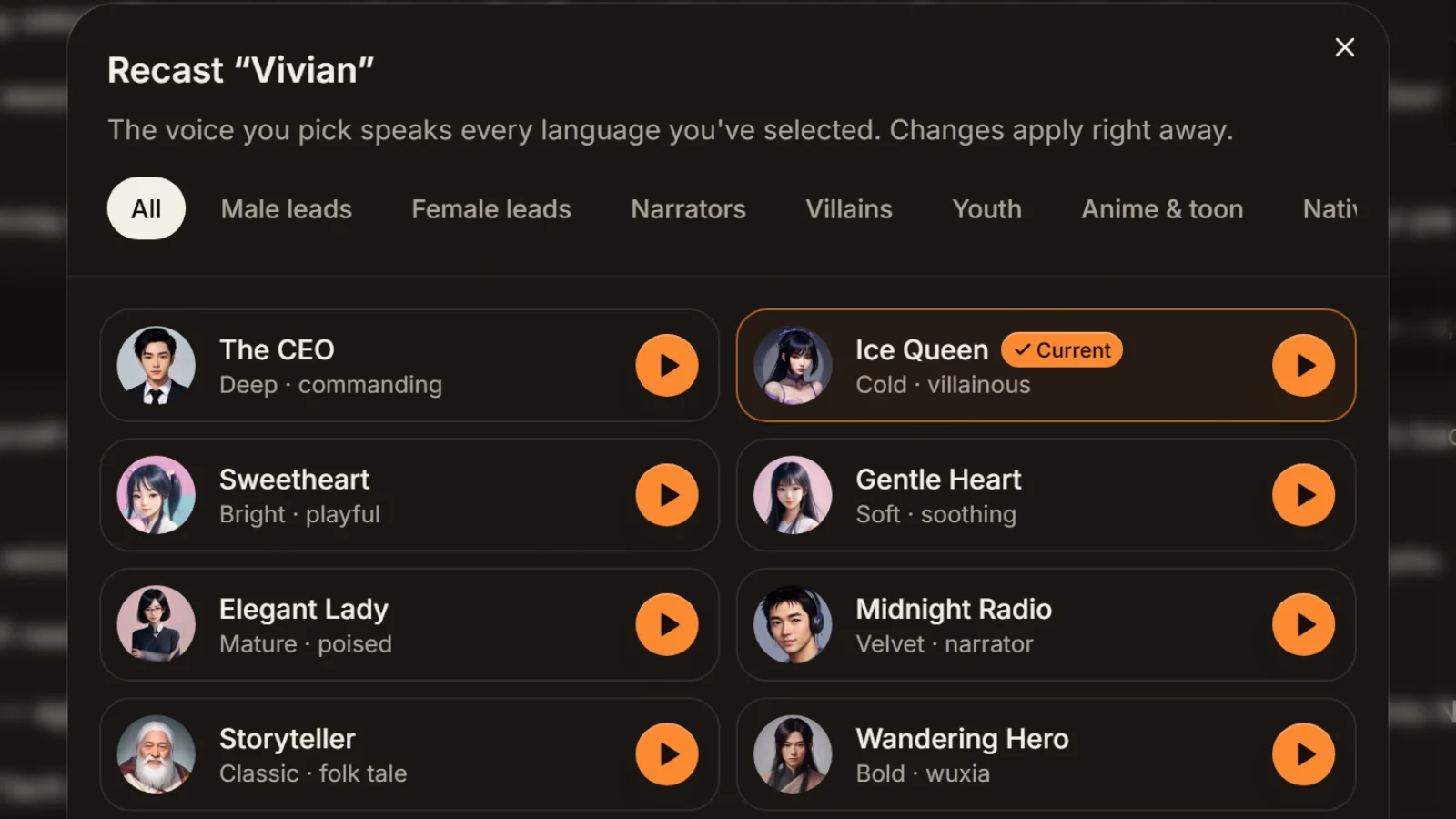
No rounding up friends to read parts. Every character in the script becomes a role with its own voice where possible, so you can tell who is yelling at whom.
Cold laugh, sarcastic and furious drive the clashes, calm sells the awkward silence, whisper handles the muttered aside. One tag per line.
Every cue starts and ends where its line sits in the MP3, so it lines up the moment you import it into CapCut.
Change a line or its emotion and regenerate just that line; failed lines are refunded automatically.
Tick English and each line is rewritten as natural spoken English, then voiced by the same cast: ready for TikTok or YouTube Shorts.
A fixed cast, a running story, few lines but many characters per episode. The workshop doesn't remember last episode's casting, so keep a character-to-voice sheet and recast from it each time; your audience hears the same cast every episode.
Explain a concept as a dialogue between “the system” and a clueless hero; it sticks better than one voice reading notes, which suits explainer and course channels.
Tick English on the same Chinese script and the same cast delivers an English cut, exported as MP3 and SRT for TikTok. Puns rarely survive translation, so have an English speaker listen before you post.
Animators need to know how long each line runs before they start. Voice a first pass with AI as the timing reference for the animatic and storyboard, run the lines with the team, then decide which roles go to human actors.
There are roughly three kinds of tool. The text-to-speech built into video editors works for one or two characters. General voice tools offer lots of voices, but with several characters you often generate passage by passage, picking a voice each time, and stitch the files yourself. A script-based tool like AI Drama Voice takes the whole episode at once, splits the roles, tags emotion per line and hands back the full episode as one audio file plus subtitles. For channels with more than three characters and a weekly schedule, the third kind saves the most time.
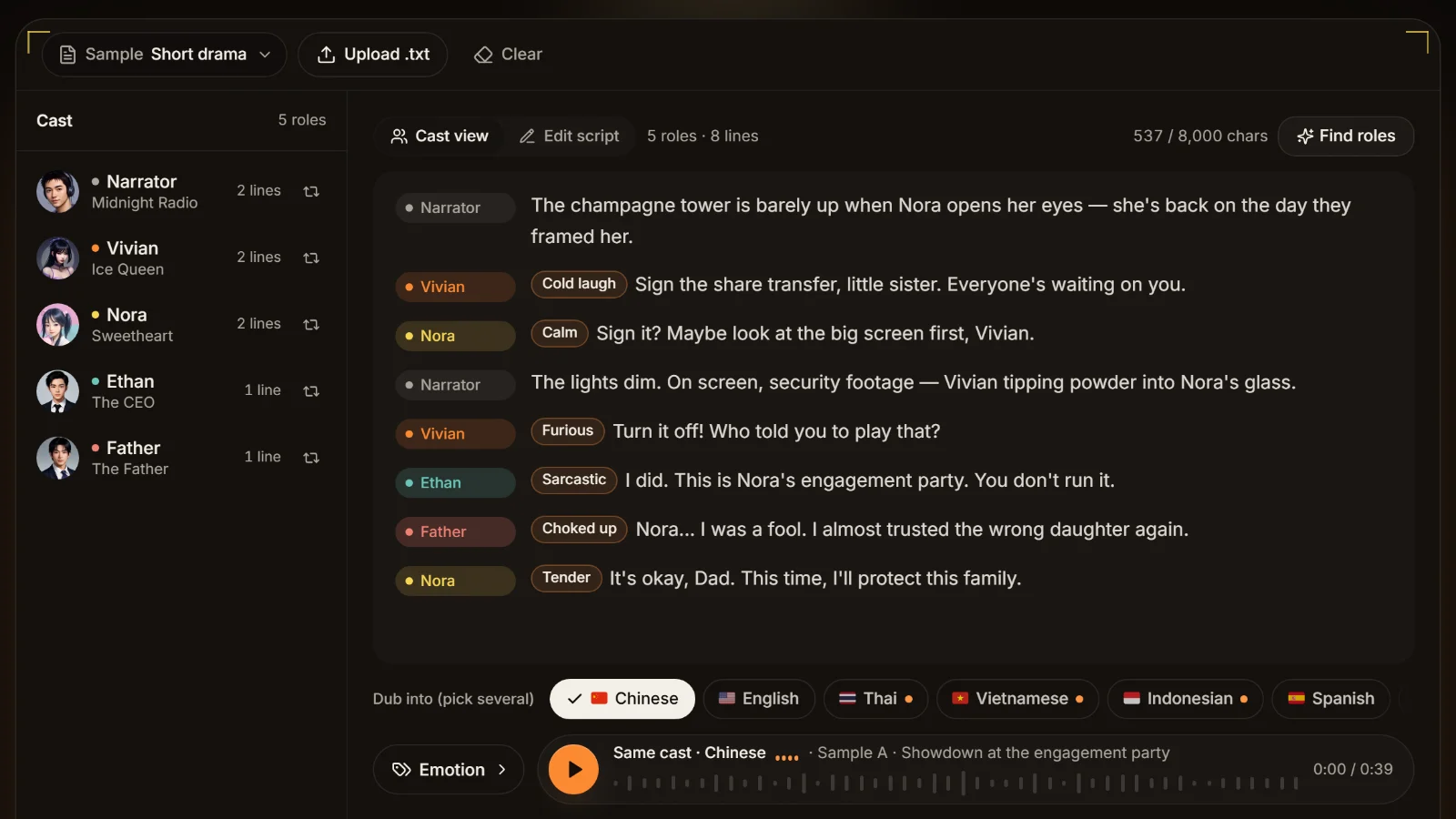
Finding roles, recasting, tagging emotions and previewing voices cost nothing, so you can get an episode's cast right before you spend anything. Generating the audio uses credits by the number of characters in the lines, and failed lines are refunded automatically. Estimate an episode with the dubbing cost calculator; rates are on the pricing page.
Voice first, animate second. With the MP3 and SRT in hand, drop the audio onto the timeline of your animation app or CapCut and place shots and expressions against each line. That is far easier than animating first and forcing the voices to fit. Each SRT cue is one line, so the cues tell you when to cut to whom. Import steps are in the CapCut audio sync guide.

About lip movement
AI Drama Voice doesn't generate lip sync. Most comedy cartoons flip between an open-mouth and a closed-mouth drawing, or don't move the mouth at all; placing those by eye against the waveform is enough.
Put the setup and the punchline on separate rows. There's a short pause between lines, and the joke lands better for it.
A leading ellipsis, as in “…Is that quest even humanly possible?”, usually makes the delivery hesitate first, which sells the bottled-up feeling.
“Heh”, “tsk” and “huh?” written into the line get spoken; emotion tags only change the delivery, they don't add sounds.
A character who is furious on every line is tiring after three. Rotate cold laugh, sarcastic and furious, and save the scream for the blow-up.
A series means confirming the cast list every episode. Note each character's voice in one sheet and recast from it, and the voices never drift.
Wordplay and Chinese internet memes translate badly. Before generating the English version, rewrite those lines in the Chinese script into something more universal.
For a comedy series with lots of characters, a script-based meme animation voiceover tool is the least work: paste the whole episode, roles are split and emotions tagged per line, and you export one MP3 and SRT for the episode. That's how AI Drama Voice is built, and the cast analysis is free to try.
It can do exaggerated, comic voices such as Cartoon Villain and Monkey King, combined with cold laugh, sarcastic or furious tags. It has no sound-alikes of specific influencers or shows, and AI Drama Voice doesn't clone voices or apply voice-changer effects.
Yes. Mark who says each line and the workshop splits out every character with a different voice where possible; the narrator and the system can each have their own. You just check the cast list and recast anything you don't like.
Finding roles, recasting, tagging emotions and previewing voices are free; generating the final audio uses credits by character count, and failed lines are refunded. Rates are on the pricing page.
Export the MP3 and SRT, put the audio on the timeline of your animation app or CapCut, then build the picture around each line. SRT timings come from where each line actually sits in the audio, so they line up on import. AI Drama Voice doesn't generate lip sync; mouth shapes are placed in the animation app.
Yes. Tick English when you generate: each line is rewritten as spoken English and voiced by the same cast, and you get an English MP3 and SRT. Puns and memes may not survive, so rewrite those in the Chinese script first.



Paste, recast, tag emotions, then export the episode as MP3 and subtitles. The animation is up to your favourite app.
Billed by characters generated · Failed runs refunded automatically · Alipay, WeChat Pay and cards

