Change Audio Speed Without Changing Pitch, to an Exact Length
To change audio speed without changing pitch, this tool gives you two ways in: type the length you need in seconds and it works out the speed, or type a speed between 0.5x and 2x directly. It uses time stretching, so the voice gets faster or slower while its pitch stays where it was, with no chipmunk effect. Process the first 15 seconds as a preview, then export the whole file as MP3 or WAV; add an SRT and its timings are rescaled by the same ratio. Everything runs in your browser and the audio is never uploaded.
- Target seconds or speed
- 0.5x–2x, same pitch
- SRT rescaled to match
- Nothing uploaded
Updated Nov 6, 2026Fact-checked Nov 6, 2026
Audio time stretch
ON DEVICEAudio time stretch: type one number, hear 15 seconds
Add the audio, and its SRT if it has one, then set it by Target length or Speed. Listen to the first 15 seconds processed; if there are no obvious artefacts, process the whole file and download it.
How to change audio speed without changing pitch, in four steps
No install and no video needed. If you're fitting a shot, measure its length in your editor first.
- 01
Add the audio, plus an SRT if you have one
Any format your browser can decode works, which covers MP3, WAV and M4A. One file can be up to 200 MB and 60 minutes (half that in a phone browser). If the audio has subtitles, add them too and they'll follow the change.
- 02
Set a target length or a speed
To match a shot or an ad slot, type the target length, say 55 or 0:55, and the tool calculates the speed from the original length. To just nudge the pace, type a speed or tap one of the presets: 0.8, 0.9, 1.1, 1.2, 1.25 or 1.5.
Tip · Above 1 makes the audio shorter; below 1 makes it longer.
- 03
Preview the first 15 seconds
A long file takes a while to process in full, so start with the first 15 seconds and listen for smeared consonants or an echoey edge. If it sounds off, move the speed a little closer to 1.
- 04
Export the audio and the subtitles
Export MP3 (192 kbps by default) or WAV, with the speed in the file name, such as -1.13x. If you added subtitles, the rescaled file downloads too, in the same format as the original, so the two line up straight away in CapCut, Premiere Pro or DaVinci Resolve.
Seconds, speed and subtitles: the one formula behind audio time stretch
There's only one formula here, but it's easy to get the direction backwards.
Speed = original length ÷ target length, and new length = original length ÷ speed. Above 1 speeds the audio up and makes it shorter; below 1 slows it down and makes it longer. Turning 10 seconds into 5 takes 2x; stretching a clip that's too short means a speed below 1.
| Original | Target | Speed | Result |
|---|---|---|---|
| 62 s | 55 s | ≈ 1.13x | Fine |
| 30 s | 36 s | ≈ 0.83x | Fine (slower) |
| 10 s | 5 s | 2x | Right at the limit; artefacts will be obvious |
| 10 s | 4 s | 2.5x | Out of range, refused |
| 20 s | 45 s | ≈ 0.44x | Out of range, refused |
How the subtitles follow
With an SRT added, every timestamp is multiplied by target length ÷ original length. Squeeze 62 seconds into 55 and a cue that started at 00:00:31,000 now starts at 00:00:27,500 (31 × 55 ÷ 62 = 27.5). Every cue is scaled by the same ratio, so each one still lines up with the stretched audio.
How this differs from the SRT time shift tool
The SRT time shift tool changes only subtitle times and leaves the audio alone, which suits subtitles that are early or late. This page changes the audio itself; the subtitles are just rescaled to follow it.
Why artefacts grow the further you move from 1x
Changing speed without changing pitch isn't magic. The audio is cut into small pieces and some of them are skipped or reused when it's put back together, and the more of that, the easier it is to hear.
Why plain speed-up changes the pitch
The simplest way to speed up audio is to play it faster. Every cycle of the waveform gets shorter, the frequency rises and so does the pitch. You can work out by how much: semitones = 12 × log₂(speed). That's why so many quick speed-ups sound like chipmunks.
| Speed | Pitch change if you just play it faster |
|---|---|
| 1.1x | about 1.7 semitones up |
| 1.25x | about 3.9 semitones up |
| 1.5x | about 7 semitones up |
| 2x | 12 semitones up (one octave) |
| 0.8x | about 3.9 semitones down |
WSOLA: cut, match, overlap
This tool uses WSOLA (waveform similarity overlap-add). It cuts the audio into 30-millisecond pieces with tapered ends (a Hann window) and lays them out again at the new rate. Before adding each piece, it searches within 10 milliseconds either side of the ideal position for the spot whose waveform best continues the previous piece, and overlaps them there, so the joins are as hard to hear as possible. Nothing inside a piece is squashed or stretched, which is why the pitch doesn't move, and both stereo channels use the same positions, so the stereo image stays put.
The price is that speeding up has to skip some of the original material and slowing down has to reuse some of it, and the further from 1, the more. At 1.25x about 20% of the material is dropped, at 1.5x about a third, at 2x half. At 0.8x about 25% of it is used twice, and at 0.5x every piece is used twice.
- Smeared or doubled consonants: plosives and hisses last only tens of milliseconds, so they're the first to be skipped or repeated.
- An echoey or metallic edge: when the waveforms at a join don't quite match, you hear a faint double.
- Worse on several voices or music: different sounds can't all line up at the same spot, so the algorithm can only favour one of them.
So a single, clean voice is the best material for an audio time stretch. A mix with drums, or a finished episode with music under it, is better handled by stretching the voice first and then using add background music.

Three common reasons to stretch audio
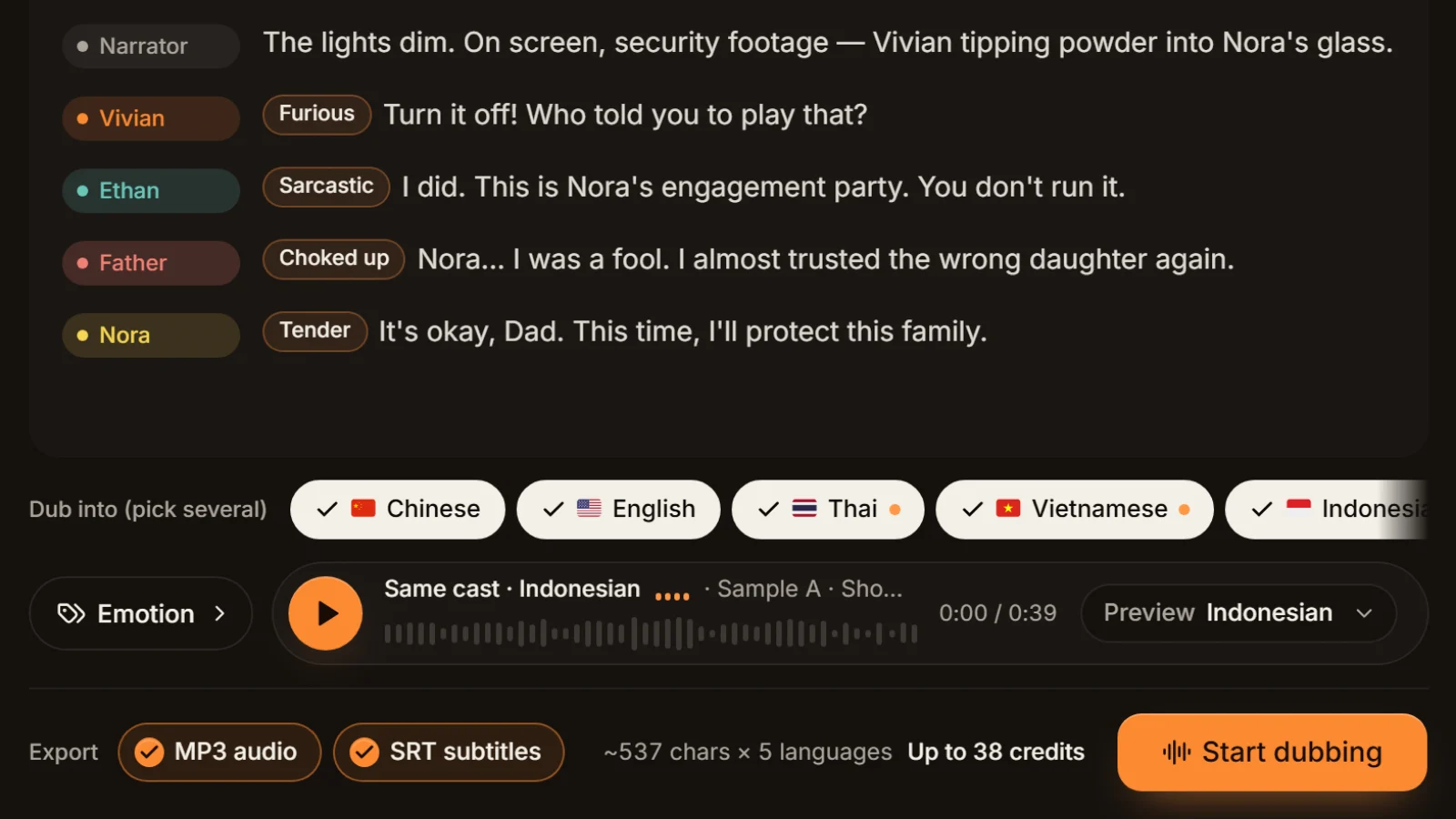
The dub runs longer than the shot
Translate a line and its length changes, and some languages come out noticeably longer. When the picture is locked and a dubbed line overruns, measure the difference and squeeze that part back with a target length. If it's far off, a shorter translation sounds better than a hard squeeze.
Ads and promos with a fixed slot
Ad slots and promo reads often have a fixed length. When you're only a second or two over, a speed close to 1, around 1.03x to 1.1x, is the least likely to be noticed.
Narration that's a bit too fast
If a recap or story narration runs too fast for viewers to read along, slow it to around 0.9x to slow down audio without changing pitch, which is quicker than re-recording. Slow it too far and you get drag and repetition, and re-dubbing is the better fix.
Before you speed up audio, try these first
The closer to 1x, the more natural it sounds, so the best time stretch is often the one you make smaller.
Stretch only the lines that overrun
Usually only a few lines in an episode run long. Cut the episode into one file per line with split audio by subtitles, stretch just those lines, then join them back with MP3 merge so the rest keep their natural speed.
Trim the words before the speed
If you're more than 20% over, cutting filler words from the translation and dubbing again sounds far better than forcing 1.25x.
Remove long pauses first
If the recording has stretches of dead air, remove silence from audio first; often you won't need to change the speed at all.
Keep WAV in between, MP3 at the end
If a file goes through several steps, save WAV in between and export MP3 only at the end, so it isn't lossy-encoded again and again.
Stretch first, add music after
Mixes with music stretch worst, so process the clean voice first and lay the music under it last.
Frequently asked questions
Not with this tool. It uses time stretching (WSOLA) to change audio speed without changing pitch: nothing inside each small piece of sound is squashed or stretched. Only playing audio faster changes the pitch, by about 3.9 semitones at 1.25x.
Choose Target length and type the length you need, in seconds (48.5) or minutes:seconds (0:48.5); the tool calculates speed = original length ÷ target length. Squeezing 62 seconds into 55 takes about 1.13x. If the result falls outside 0.5x to 2x, the tool refuses and tells you why.
There's no single answer; it depends on the material. A single clean voice at a moderate pace tolerates more than overlapping voices or music. The closer to 1x, the more natural, so preview the first 15 seconds every time.
Yes, if you add the SRT: every timestamp is scaled by the same ratio and downloaded with the stretched audio. To move subtitles without touching the audio, use the SRT time shift tool.
Work out the gap first. A few percent: squeeze the whole file with a target length. A few lines: split the episode by its subtitles, stretch only those and merge. Far too long: shorten the lines or the translation and dub again in the workshop.
Anything your browser can decode, which covers MP3, WAV and M4A (AAC); formats like AMR or WMA that the browser can't read are reported straight away. One file can be up to 200 MB and 60 minutes, half that in a phone browser. Output is MP3 or WAV.
No. Decoding, time stretching and encoding all run locally in your browser; audio and subtitles never pass through a server, no AI is called and no sign-in is needed. More audio tools are on the free tools page.








Dub the other-language versions first Same cast, every language.
Paste a Chinese or English script and the same cast dubs it into English, Thai, Indonesian and five more languages, with an MP3 + SRT for each. Cast analysis is free.
Billed by characters generated · Failed runs refunded automatically · Alipay, WeChat Pay and cards