AI-generated content labels for AI-dubbed dramas in China
AI-generated content labels come down to three jobs: keep the implicit label (the metadata) in the dubbed audio files, add an explicit label the audience can hear or see in the finished episode, and declare the content as AI-generated when you upload it. The basis is China's Measures for Labeling AI-Generated and Synthetic Content, issued by the Cyberspace Administration of China and three other agencies and in force since 1 September 2025. This guide walks through each step for AI-dubbed short dramas and comics. It is general information, not legal advice.
- Quotes the official text
- Explicit + implicit
- Douyin / YouTube / TikTok
- Checked 2026-11
Updated Nov 5, 2026Fact-checked Nov 5, 2026
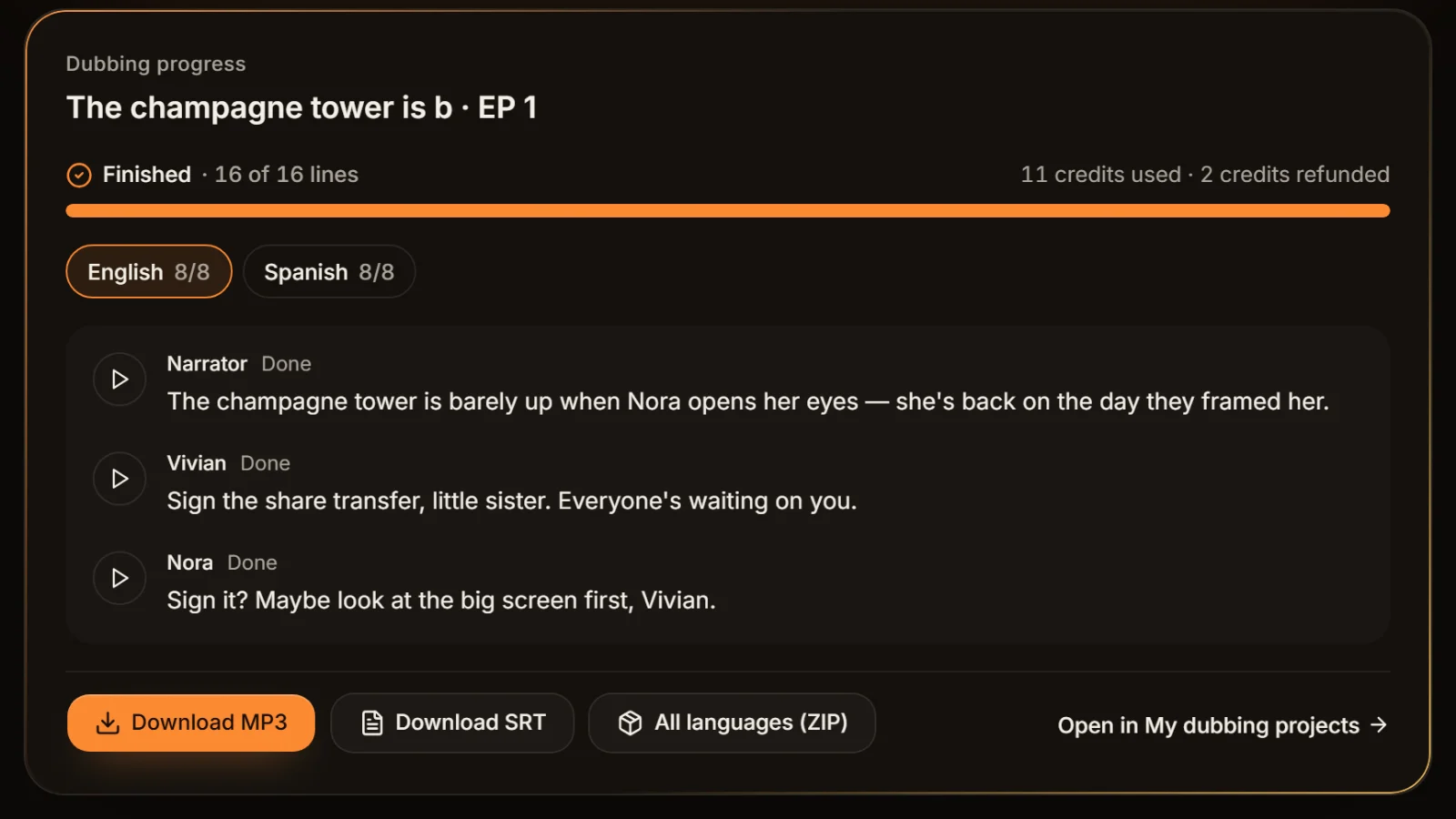
Sample A · Showdown at the engagement party
English · Script excerpt · 5 characters



Narrator
The champagne tower is barely up when Nora opens her eyes — she's back on the day they framed her.

VivianCold laugh
Sign the share transfer, little sister. Everyone's waiting on you.

NoraCalm
Sign it? Maybe look at the big screen first, Vivian.
Narrator
The lights dim. On screen, security footage — Vivian tipping powder into Nora's glass.
On this page
- 1AI-generated content labels for a dubbed drama: five steps
- 2What China's AI content labeling measures say
- 3Explicit labels on an AI-dubbed drama: three common methods
- 4How to check the implicit label in your audio files
- 5Declaring AI content on Douyin, YouTube and TikTok
- 6Six mistakes when labeling AI voiceover
- 7Frequently asked questions
AI-generated content labels for a dubbed drama: five steps
The order follows an episode from dubbing to release. Steps 2 and 3 happen in the edit; steps 4 and 5 happen at upload.
- 01
Step 1
Confirm the episode uses an AI voice
Article 4 of the Measures points to Article 17(1) of the Provisions on Deep Synthesis, whose item (2) covers "synthesized human voices, voice imitation and other speech generation". AI-generated narration and character dialogue fall here, and an episode where only some roles are AI-voiced still needs labeling.
- 02
Step 2
Keep the implicit label in the audio
MP3s exported from AI Drama Voice carry an AIGC label in their metadata. Don't strip the metadata or rewrite it with another source. Note that once the audio is mixed into a video and exported, the original MP3 metadata is not guaranteed to survive, so don't skip the next two steps.
Tip · The ZIP download also contains README-AI生成说明.txt; pass it to your editor with the audio.
- 03
Step 3
Add an explicit label to the episode
The simplest option is a spoken line at the start, such as "This episode is voiced by AI", plus an "AI voice" note in a corner of the frame or in the first subtitle. Generate the notice with the narrator's voice, put it in the first two or three seconds, and keep it at dialogue volume.
- 04
Step 4
Declare it when you upload
On Douyin, IT Home reported on 1 September 2025 that the path on the publish page is Advanced settings → creator self-declaration → content generated by AI, after which the declaration shows on the post. Other Chinese platforms offer similar options at upload; follow what the current interface shows.
- 05
Step 5
Follow each overseas platform's rules
When English, Thai or Indonesian versions go to YouTube or TikTok, declare them under those platforms' own AI rules. TikTok's Community Guidelines require labels on AI-generated content showing realistic scenes or people; YouTube asks creators to disclose realistic altered or synthetic content when uploading.
What China's AI content labeling measures say
Only the parts relevant to AI voices and audio are covered here. Quotations are translated from the text published on the CAC website (cac.gov.cn, 14 March 2025, document Guoxinban Tongzi [2025] No. 2).
Explicit vs implicit labels
Under Article 3, an explicit label is added to the generated content or the interface and presented as text, sound or graphics that users can clearly perceive; an implicit label is added to the content's file data by technical means and is not easily perceived. For an AI-dubbed episode, the opening line "This episode is voiced by AI" is an explicit label, and the AIGC field in the MP3 metadata is an implicit one.
| Explicit label | Implicit label | |
|---|---|---|
| Who notices it | The audience can clearly hear or see it | Invisible to viewers; platforms and tools can read it |
| Form in audio | Voice notice or audio rhythm cue | File metadata; digital watermarks encouraged |
| What it says | That the content is AI-generated | Content attribute, provider name or code, content ID |
| For an AI-dubbed drama | Spoken opening notice + on-screen or subtitle note | Keep the metadata label in the dubbed MP3 |
How audio must be labeled
Add a voice notice, an audio rhythm cue or a similar label at the start, the end or a suitable point in the middle of the audio, or add a prominent notice in the interactive interface.
Article 4 also says that when a provider offers download, copy or export, the file must contain a compliant explicit label. Article 9 lets a provider supply content without an explicit label once its user agreement spells out the user's labeling duties and responsibility. Audio exported from AI Drama Voice has no spoken notice, and our terms of service state that when you publish, you must clearly label AI-generated content as the law and the publishing platform require. The explicit label is therefore the publisher's job.
What goes into the implicit label
Article 5 asks providers to add implicit labels to file metadata, including the content's AI-generated attribute, the provider's name or code and a content ID, and encourages digital watermarks. On the same day the mandatory national standard GB 45438-2025, Cybersecurity technology: Labeling method for content generated by artificial intelligence, took effect, approved by SAMR and the Standardization Administration, setting out the technical labeling methods.
Who has to do what
| Who | Duty | Article |
|---|---|---|
| AI service providers | Add explicit and implicit labels; describe the labeling method in the user agreement | Arts. 4, 5, 8 |
| Distribution platforms | Check metadata; add notices for content that is confirmed, declared or suspected AI; offer a declaration feature | Art. 6 |
| Publishers (you) | Declare AI-generated content when publishing and use the platform's labeling tools | Art. 10(1) |
| Anyone | Must not maliciously remove, alter, forge or conceal labels, or provide tools or services for others to do so | Art. 10(2) |
Please note
This guide summarises public regulations and platform rules for general information and is not legal advice. For a specific project, contract or dispute, rely on the latest rules from regulators and platforms, and consult a lawyer where needed.
Explicit labels on an AI-dubbed drama: three common methods
The Measures name a voice notice and an audio rhythm cue for audio; a short drama is video, so on-screen notes work too. The three can be combined.
| Method | How | Watch out for |
|---|---|---|
| Spoken opening notice | In the first two or three seconds, a line like "This episode is voiced by AI", in the narrator's voice | Same volume as dialogue; don't bury it under music |
| Subtitle notice | Make the first SRT cue "This episode is voiced by AI", or add one before the first line | Keep it on screen for at least 2 seconds |
| On-screen badge | An "AI voice" or "Contains AI-generated content" note in a corner, kept for the whole episode | Stay clear of platform buttons and the subtitle area |
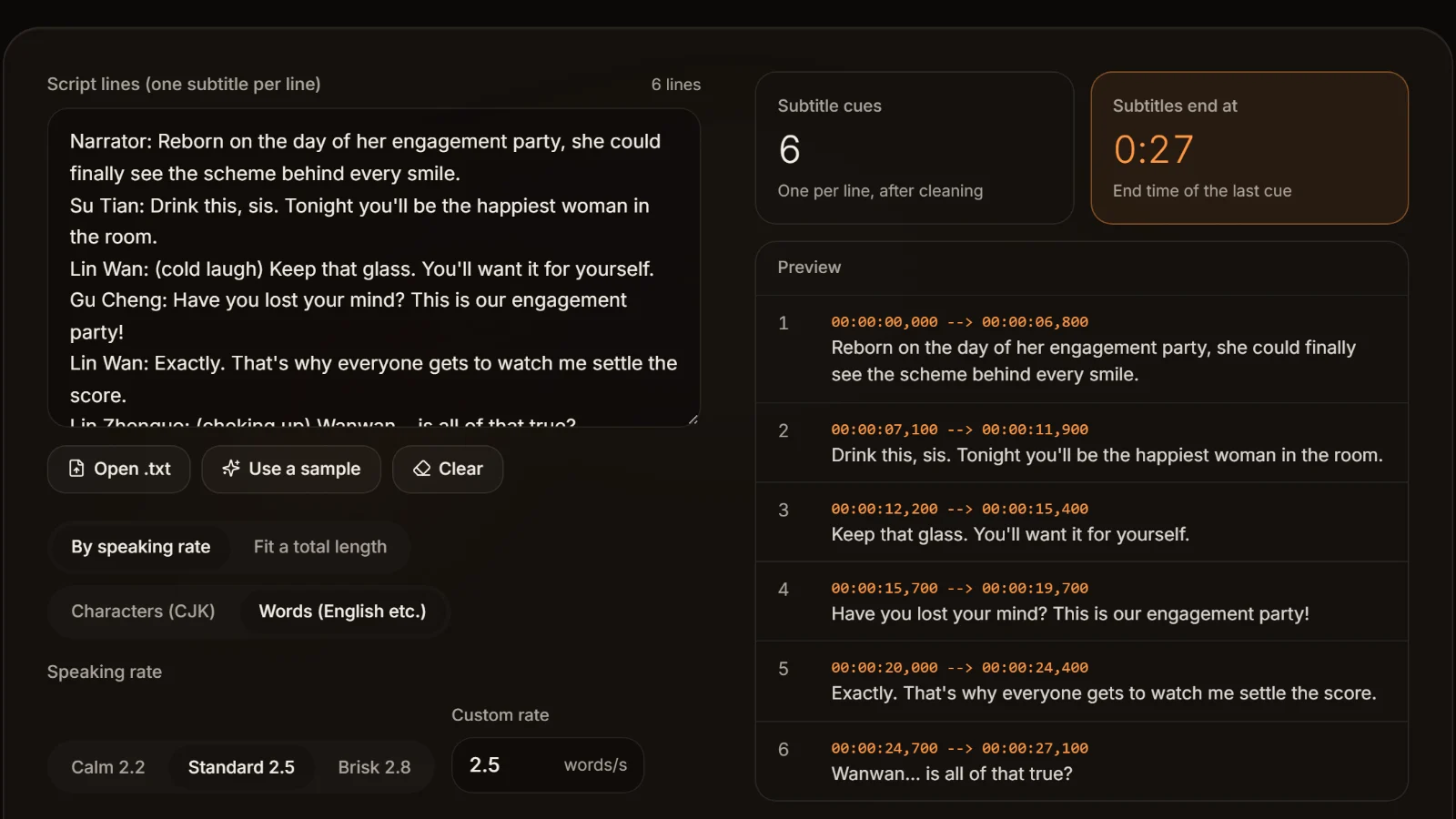
The subtitle notice is the easiest: put a line reading "This episode is voiced by AI" at the top of your script, and the TXT to SRT converter or the SRT exported after dubbing turns it into its own cue when you import it into CapCut. The spoken notice can be generated in the workshop with the rest of the script, as the narrator's first line.
Why CapCut's AI voices show an "AI-generated" notice
Under the Measures, a service that offers AI voices must label what it generates, and a platform that finds the implicit label in the metadata adds a notice next to the content. Douyin's rules: when it detects an implicit label it shows "contains AI-generated content"; when the creator hasn't declared but it detects AI traces, it shows "suspected of using AI generation, please judge carefully". So a CapCut (Jianying) video made with its AI voice or text-to-speech being flagged as AI is the rules working as intended, not something to remove.
How to check the implicit label in your audio files
Implicit labels are invisible, but common tools reveal them in a minute. Spot-check one file per batch before delivering to a platform, distributor or client.
Every MP3 exported from AI Drama Voice starts with an ID3v2.4 tag holding three things: a custom AIGC field (a JSON object where Label 1 means AI-generated content, with ContentProducer, ProduceID and other fields), the comment "AI生成内容 / AI-generated audio", and the service name in the encoder field. The field names follow the metadata label field names used in GB 45438-2025.
- 1.Command line: with FFmpeg installed, run ffprobe -show_format yourfile.mp3 and look for TAG:AIGC=…, TAG:comment=AI生成内容 / AI-generated audio and TAG:encoder= followed by the service name.
- 2.A tag editor: open the MP3 in Mp3tag or similar and look for a custom field named AIGC and the comment field among the extended tags. Look only; don't edit or delete them.
- 3.The ZIP: when you download every language's MP3 and SRT together, the archive includes README-AI生成说明.txt explaining where the label is and which explicit label to add when publishing.
Metadata in the finished video
The implicit label lives in the MP3. When an editor mixes that audio into a video and exports an MP4, the original file's metadata is not guaranteed to survive, and the video may carry the editing app's own metadata instead. That's why, for a released AI-dubbed drama, the explicit label and the upload declaration are what audiences and platforms see first.
Declaring AI content on Douyin, YouTube and TikTok
The last step of AI-generated content labels happens on the upload screen. Only sourced points are listed; interfaces change, so follow what each platform currently shows.
| Item | Douyin | YouTube | TikTok |
|---|---|---|---|
| Where to declare | Publish page: Advanced settings → creator self-declaration → content generated by AI | In YouTube Studio at upload, disclose altered or synthetic content | Add the AI-generated content label when posting |
| What must be declared | AI-generated content | Realistic altered or synthetic content, such as making a real person appear to say something they didn't | AI-generated or significantly edited content showing realistic scenes or people |
| Notice the platform adds | Implicit label found: "contains AI-generated content"; suspected: "suspected of using AI generation, please judge carefully" | A label for altered or synthetic content in the description or on the player | Unlabeled content may be removed, restricted or labeled by TikTok |
| For AI-dubbed dramas | Declare every episode | The help page doesn't address ordinary AI narration directly; declare when unsure | Label live-action dramas with realistic footage |
Checked Nov 2026 · The Douyin column comes from IT Home's report on Douyin's rules; the latest rules are those posted in Douyin's safety and trust centre.
Sources:IT Home: Douyin upgrades AI content labels (2025-09-01)YouTube Help: disclosing altered or synthetic contentTikTok Community Guidelines: integrity and authenticityCAC: Measures for Labeling AI-Generated and Synthetic Content
Six mistakes when labeling AI voiceover
"Only one role is AI, so no label"
If any lines use a synthetic voice, the episode contains AI-generated content. You can declare it as "partly voiced by AI".
"A line in the description is enough"
Descriptions get collapsed and skipped. A spoken opening notice or an on-screen badge is something viewers will actually perceive; combine it with the platform declaration.
"Transcoding drops the label anyway"
Article 10 forbids maliciously removing, altering or concealing labels. Don't deliberately strip metadata or blur out on-screen notices.
"Overseas versions don't count"
Overseas platforms have their own AI rules; TikTok and YouTube both require declaring qualifying AI content. Handle every language version by its platform's rules.
"Any notice will do"
It must be audible and readable: keep the spoken notice above the music, give text notices enough time on screen, and don't cover the platform's buttons.
"Set it up once and forget it"
Platform rules and interfaces change. Spend a few minutes checking the declaration options before each batch goes live.
Frequently asked questions
Three steps: keep the implicit label (metadata) in the dubbed audio, add an explicit label such as a spoken opening notice or an on-screen or subtitle note, and declare the content as AI-generated when you upload. The basis is China's labeling Measures, in force since 1 September 2025.
Yes. Synthetic voices are one of the cases listed in Article 17 of the Deep Synthesis Provisions, and Article 10 of the labeling Measures requires users to declare AI-generated content and use the platform's labeling tools. Declare it even if only part of the voiceover is AI.
Services that offer AI voices must label what they generate, and platforms that detect those labels or AI traces add a notice next to the post, such as Douyin's "contains AI-generated content". That's the rules working as intended, not something to remove.
A label written into the file data that viewers don't notice, such as MP3 metadata, carrying the AI-generated attribute, the provider's name or code and a content ID. MP3s exported from AI Drama Voice carry an AIGC field in their ID3 tag, which you can see with ffprobe or Mp3tag.
Each has its own rules. TikTok's Community Guidelines require labeling AI-generated content showing realistic scenes or people; YouTube asks for disclosure of realistic altered or synthetic content at upload. When unsure, declaring is safer than being flagged as undeclared.
They carry an implicit label: every MP3's metadata includes the AIGC label, and the ZIP includes an explanatory file. They carry no explicit label: the audio has no spoken notice, so add one as in step 3 above and declare the content on the platform.




Release AI-dubbed dramas the compliant way Label it. Then ship it.
Paste an episode for a full-cast dub. The exported MP3s carry an AIGC implicit label; add an opening notice and the platform declaration and you're ready.
Billed by characters generated · Failed runs refunded automatically · Alipay, WeChat Pay and cards